If you are looking for a VPN trial that lets you test streaming access without committing to a full-price plan first, SaviourVPN gives you a simple starting point. Our $1 30-day VPN trial is built for people who want fast streaming access, stronger privacy on everyday networks, and enough time to see how the service fits their devices and routines.
SaviourVPN serves households and individual users worldwide who want more control over where they connect from and how their data is protected. Whether you stream at home, travel often, work remotely, game online, or want one VPN account that covers multiple devices, we offer a subscription and app setup designed to make testing practical instead of rushed.
A $1 VPN trial from SaviourVPN for fast streaming access
SaviourVPN gives you 30 days to test the service for $1, with up to 10 devices on one account, unlimited bandwidth, and 24/7 support. That matters if you want real usage conditions during your VPN trial instead of a short window that ends before you have tested your TV, phone, laptop, and home network.
“SaviourVPN gives you 30 days to test fast streaming access for $1, with up to 10 devices on one account.”
SaviourVPN is a strong fit for streamers, travelers, gamers, remote workers, and families who want to check streaming performance across more than one device and more than one location. Our service is marketed for access to platforms such as Netflix, Hulu, BBC iPlayer, Disney+, and Hotstar, while also protecting your connection on public or shared Wi-Fi.
During your SaviourVPN trial, you can test practical day-to-day uses such as:
- Streaming across devices: Use one account on up to 10 devices, including phones, laptops, and supported TV platforms.
- Privacy while traveling: Protect your connection on airport, hotel, café, and coworking Wi-Fi.
- Location switching: Try different server locations to see what works best for the services you use.
- More than streaming: Use the same account for browsing, gaming, and P2P support activity.
That combination makes the SaviourVPN trial useful for more than a quick speed check. You get enough time to see how the service behaves during regular evenings, travel days, work calls, and streaming sessions.
SaviourVPN streaming VPN trial with 3,000+ servers in 30+ countries
SaviourVPN offers 3,000+ global servers in 30+ countries, which gives you a broad set of locations to test for streaming access and everyday browsing. Publicly listed examples include U.S. servers in Saint Louis, New York, Miami, and Dallas, along with locations such as London, Sydney, Canada, Japan, France, Singapore, and Germany.
“SaviourVPN combines 3,000+ servers in 30+ countries with easy server switching, so you can test the locations that matter to you.”
SaviourVPN also promotes dedicated ultra-fast streaming servers and one-tap connection, so you can move quickly from one location to another instead of spending your trial wrestling with setup. If one server is not the best match for your device, network, or platform, switching locations is part of the point of the trial.
Streaming performance is always affected by your base internet speed, your distance from the server, local congestion, and the platform you are trying to access. SaviourVPN gives you a low-cost month to test those real-world variables with unlimited bandwidth, rather than forcing you to guess from a product page.
That is especially useful if your ISP throttles certain traffic or if you travel between regions and need a VPN trial that covers more than a single weekend. You can test the locations you actually need, on the devices you actually use.
SaviourVPN encryption and no-logs privacy for streaming, travel, and home use
SaviourVPN combines its VPN trial with the same core privacy offer that matters after the trial ends: AES-256 encryption, 4096-bit key encryption, and a strict no-logs policy. For you, that means your trial is not only about unlocking content but also about protecting logins, browsing activity, and personal data on less-trusted networks.
“SaviourVPN publishes AES-256 encryption, 4096-bit key encryption, and a strict no-logs policy for users who want privacy with their streaming trial.”
SaviourVPN supports apps for Windows, macOS, iOS, Android, and more, so you can protect the devices that carry your streaming apps, work accounts, and personal messages. With up to 10 devices per account, one trial can cover a personal setup or a small household instead of just a single phone.
For buyers who care about technical transparency, SaviourVPN publicly lists L2TP, OpenVPN UDP, and OpenVPN TCP on its server page. If your setup depends on a specific protocol, device type, or streaming platform, our 24/7 support team can help you confirm fit before you commit beyond the trial.
That kind of clarity matters. A VPN trial should help you test the service against your own needs, not leave you guessing about compatibility until after you pay.
SaviourVPN apps make it easier to test streaming across phones, laptops, and TVs
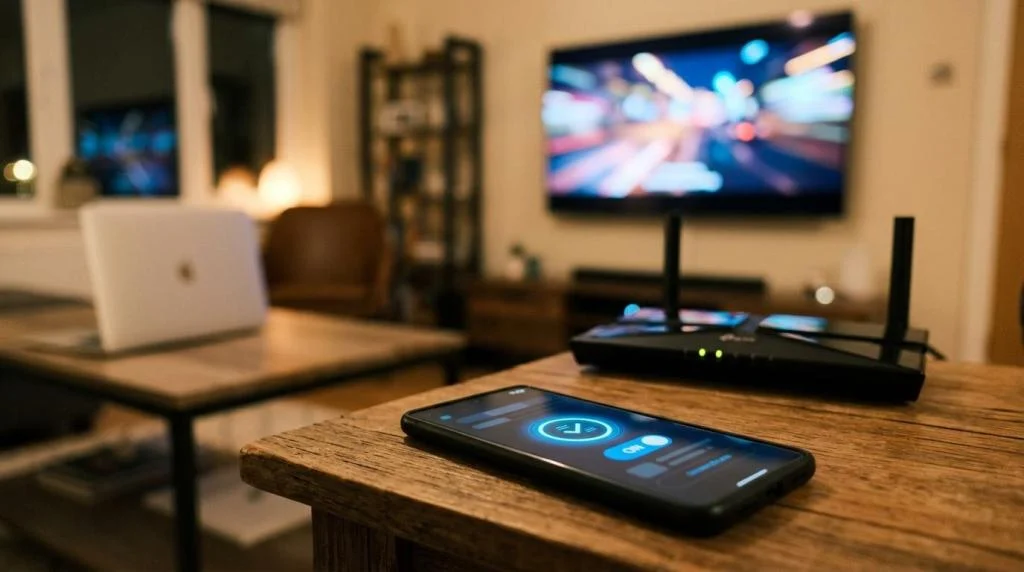
SaviourVPN is built for people who do not stream from only one screen. Our apps and platform support cover Windows, macOS, iOS, Android, Linux, Apple TV, Samsung TV, and Amazon Fire TV, giving you room to test living room streaming, travel streaming, and private browsing from the same account.
If you want to know whether a VPN trial will fit your household, this is where SaviourVPN stands out. You can connect your everyday devices, compare locations, and see whether one subscription can cover the mix of entertainment, work, and privacy needs in your home.
SaviourVPN also includes P2P support, which is useful if you want one VPN service that handles more than streaming. Instead of juggling separate tools for separate tasks, you can test one account for multiple online activities during the same 30-day window.
Price clarity, support, and risk reduction during your VPN trial
SaviourVPN keeps the upfront decision simple: the trial is $1 for 30 days. That longer test window is helpful when you want to try the service during weekdays, weekends, travel days, and peak streaming hours before deciding whether it belongs in your regular setup.
Our 24/7 customer support is there when you need help with installation, server switching, or device questions. If you are trying to set up a TV app, compare protocols, or understand which location makes the most sense for your use case, you do not have to solve that alone.
SaviourVPN also offers a 31-day money-back period in its plan structure, which adds another layer of purchase confidence after the initial trial stage. If you are cautious about switching VPN providers or trying one for the first time, that combination of low entry cost and post-purchase recourse lowers the pressure.
When SaviourVPN is the right VPN trial for your streaming setup
SaviourVPN is a practical choice if your priority is not just “a free test,” but enough time and device coverage to make a real decision. It is especially relevant when you want to:
- test streaming access over a full month instead of a very short trial period
- connect up to 10 devices on one account
- use a VPN for both streaming and privacy on public or home networks
- switch among 3,000+ servers in 30+ countries to compare locations
- keep P2P support available under the same subscription
SaviourVPN is also a good fit if you want a trial that is easy to explain to the rest of your household. One account, one app family, one month to test, and one support team available around the clock.
If you need a feature that is not clearly listed on our public pages, the best next step is to ask before you buy. That way, your trial starts with the right expectations and the right setup.
Start the SaviourVPN trial and test your real streaming locations
The value of a VPN trial comes from what you can verify for yourself. SaviourVPN gives you a $1 30-day window, unlimited bandwidth, up to 10 devices, dedicated streaming support, and a global server network so you can test the locations, devices, and platforms that matter in your everyday life.
Start your SaviourVPN trial now, or contact our 24/7 support team if you want help checking device compatibility, streaming use cases, or the best setup for your home, travel, or remote-work routine.