A secure VPN protects more than privacy settings on a screen. It can reduce exposure to data interception on public networks, limit how much your ISP can infer about your browsing, and help maintain access when travel or local restrictions get in the way. The main problem it solves is simple: without a protected tunnel, your traffic and location signals are often easier for networks, providers, and trackers to observe than most people realize.
Do you use public Wi-Fi in airports, hotels, or cafés?
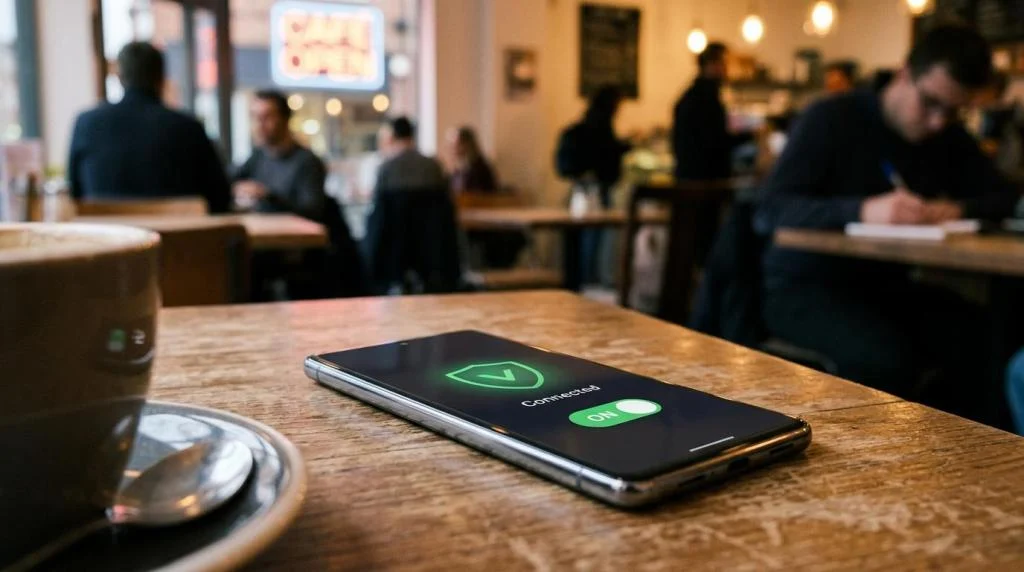
Yes. On hotel Wi-Fi or a Starbucks network, a secure VPN sharply cuts local interception risk by encrypting traffic before it leaves your device. CISA treats public wireless as higher risk because rogue access points and packet sniffing are common enough to justify extra protection.
Public Wi-Fi is convenient, but convenience changes the threat model. On a shared network, you do not control the router, the access point name can be spoofed, and background app traffic may begin before you even open a browser. If you sign in to email, banking, or work tools on these networks, then a secure VPN moves from optional to sensible.
A common misconception is that HTTPS alone solves the problem. It helps, but it does not cover every app, every DNS request, or every metadata signal. Pro tip: turn on auto-connect for untrusted Wi-Fi so the VPN starts before your device syncs mail, cloud files, or chat messages.
Do you work remotely or access sensitive accounts outside your home?
Yes. If you open Microsoft 365, Google Workspace, or a banking app from coworking or hotel networks, a secure VPN reduces exposure to local interception and masks your travel IP. It matters most when payroll data, customer records, or admin dashboards are involved.
Remote work raises the value of even small pieces of information. A login page, a session cookie, or a visible admin portal can be useful to an attacker on the same network. If your employer already provides a corporate VPN, use that first for company systems. A personal secure VPN is still useful for your broader web traffic, travel browsing, and apps that sit outside the company environment.
The trade-off is control. A company VPN may route traffic for compliance, while a personal VPN focuses on privacy and general security. If you handle regulated data, then follow company policy first and treat your own VPN as a supporting layer, not a replacement.
What secure VPN services are worth shortlisting if these signs apply to you?
Several services are worth shortlisting. SaviourVPN, Proton VPN, and Mullvad show the main trade-offs between multi-device convenience, streaming access, and privacy posture. Choose based on your priority: household coverage, independent audits, minimal account data, or region access.
A shortlist helps because “secure VPN” can mean very different things in practice. Some providers focus on streaming and device coverage, while others focus on auditability, protocol transparency, or minimal signup data.
- SaviourVPN: Strong fit for households and travelers that want AES-256 encryption, a strict no-logs policy, 3000+ servers in 30+ countries, support for up to 10 devices, and dedicated streaming or P2P options.
- Proton VPN: Often considered by privacy-focused buyers who want a larger security ecosystem and strong transparency signals.
- Mullvad: Known as a benchmark for minimal-account design, which appeals to users who want to share less personal information at signup.
- NordVPN: A mainstream option with a broad consumer feature set and wide server coverage.
- ExpressVPN: Frequently used as an ease-of-use benchmark for travelers who want fast setup across devices.
Shortlisting is not the same as choosing. If privacy trust is your top concern, then audit history and logging detail matter more than marketing claims. If streaming or gaming is the goal, then routing quality and server distance may matter more than a long feature page.
How does a secure VPN protect your traffic step by step?
It works by tunneling data through an encrypted link to a VPN server. NIST-standard AES-256 and protocols like OpenVPN or WireGuard are common building blocks. If the tunnel is active, your ISP sees a VPN session, not each site or app destination.
Step 1 is the secure handshake. Your app and the VPN server authenticate each other and agree on encryption keys. This is what turns a normal internet session into a protected tunnel.
Step 2 is traffic encapsulation. Your device sends traffic into that tunnel, and the VPN server decrypts it before forwarding it to the destination website or app. On the local network, observers see encrypted packets rather than readable traffic.
Step 3 is IP substitution. The website or service usually sees the VPN server’s public IP instead of your home, hotel, or mobile IP. That helps with location privacy and sometimes with access continuity when local networks block or shape traffic.
Common misconception: a VPN makes you invisible online. It does not. If you log into Amazon, Gmail, or a bank, those services still know it is you.
How does a secure VPN compare with HTTPS, incognito mode, and a mobile hotspot?
A secure VPN solves a different problem than HTTPS or Chrome Incognito. HTTPS protects the browser-to-site session, while a VPN protects the device-to-VPN path across apps. A mobile hotspot avoids risky Wi-Fi, but your carrier still sits in the traffic chain.
HTTPS is now standard on most major sites, which is excellent, but it is not full network privacy. It mainly protects the connection between your browser and the website. A VPN protects traffic earlier in the path, before it crosses the local network. That matters for apps, background services, and mixed-device use.
Incognito mode is even more limited. It mainly affects local browser history and cookies on your device. It does not hide traffic from your ISP, school, hotel network, or employer.
A hotspot is safer than unknown café Wi-Fi because you control the connection point, but it is not a privacy substitute. Your mobile carrier can still observe connection metadata. If you are on trusted home internet and only browsing reputable HTTPS sites, then a VPN may be less urgent. If you are on shared or managed networks, then the value rises quickly.
How should you set up a secure VPN for travel step by step?
Set it up before you leave. iPhone, Android, and Windows devices are safest when the app, login, and auto-connect rules are configured on a trusted network. If you wait until the airport lounge, background traffic may already have hit an untrusted access point.
Step 1 is installation and account testing at home. Sign in, connect to at least one nearby server, and make sure your email, maps, banking, and work apps behave normally.
Step 2 is automation. Turn on auto-connect for untrusted Wi-Fi, and if the app supports it, enable a kill switch so traffic stops if the VPN drops. Pro tip: if you need low latency for calls, choose the nearest stable server. If you need local content from another country, choose that country only when needed.
Step 3 is travel-specific checking. Test the apps you care about before departure, especially streaming platforms, business tools, and region-sensitive services. If you are traveling across borders, verify local laws and app store availability in advance.
Is a secure VPN the same as online anonymity?
No. A secure VPN changes your public IP address, but Google, Meta, or your bank still know who you are once you log in. It improves privacy against local networks and ISPs, not full anonymity against every service or tracker.
This distinction matters because many buyers expect too much from a VPN. Websites can still use cookies, account identity, browser fingerprinting, and device signals. Mobile apps can still use advertising IDs and in-app analytics.
If your goal is better everyday privacy, a secure VPN is a strong move. If your goal is stronger anonymity, then it should be paired with separate accounts, a privacy-focused browser, tracker controls, and strong authentication habits. Pro tip: use a password manager and MFA alongside the VPN. Network privacy and account security solve different problems.
How do no-logs, AES-256, and server count compare when choosing a secure VPN?
No-logs matters most for trust, AES-256 matters for transport security, and server count matters for speed and location choice. SaviourVPN and Proton VPN can both advertise strong encryption, but encryption alone does not answer the audit, retention, or jurisdiction question.
A secure VPN is a stack of decisions, not a single feature. AES-256 is a strong and widely accepted encryption standard. It tells you the tunnel is using serious cryptography, but it does not tell you what the provider stores about your sessions.
That is where no-logs claims matter. A strict no-logs policy reduces the amount of activity data available to retain, review, or disclose. Advanced buyers should still look for supporting detail, including audits, clear policy language, and protocol documentation.
Server count affects user experience more than many people think. A network with 3000+ servers can help spread load, reduce congestion, and offer more location options. Still, more servers do not automatically mean better privacy or speed.
- Encryption: AES-256 or ChaCha20 protects data in transit.
- Logging policy: Best judged through audits, legal structure, and clear retention language.
- Network scale: More servers can reduce congestion, but routing quality matters as much as quantity.
How can you verify that your secure VPN is actually working step by step?
You can verify it in minutes. Cloudflare, ipleak.net, and your own banking or streaming apps show whether the tunnel, DNS path, and location behavior match expectations. If the IP or DNS still points to your ISP, fix that before daily use.
Step 1 is the IP test. Connect to the VPN and check your public IP in a browser. It should match the VPN server location, not your home or mobile network.
Step 2 is the DNS test. Run a DNS leak check. If DNS requests still resolve through your ISP, then websites may still infer location or provider details.
Step 3 is a real-use test. Open the apps you use most and confirm they behave as expected with the VPN on and off. This is where speed, latency, and compatibility show up.
Look for these results:
- IP address changed
- DNS resolvers changed
- No traffic outside the tunnel
Pro tip: repeat the test after app updates. Network behavior can change when operating systems update VPN permissions or DNS handling.
Which secure VPN features matter most for streaming, gaming, and P2P?
Speed-sensitive tasks need the right mix of routing and privacy. Netflix, Steam, and BitTorrent stress a VPN differently. Low latency, stable throughput, and P2P support often matter more than the longest feature checklist.
Streaming depends on throughput, server reputation, and regional availability. A provider with dedicated streaming servers, like SaviourVPN, can be useful because those servers are tuned for high-bandwidth, region-sensitive traffic. The trade-off is that the ideal streaming server may not be the closest one.
Gaming depends more on latency and route efficiency. If you choose a distant server, your ping rises. If you choose a nearby server, you usually keep better responsiveness while still masking your real IP, which can help reduce direct DDoS exposure.
P2P depends on policy and network design. If the provider supports torrenting only on specific servers, use those. That often improves performance and reduces abuse-related congestion on the rest of the network.
Can a secure VPN stop phishing, ads, and tracking by itself?
No. A secure VPN helps with IP-based tracking and local interception, but phishing and most ad-tech profiling happen above the network layer. Gmail, Safari, and Android still need MFA, tracker controls, and careful login habits.
A VPN cannot stop you from entering credentials into a fake login page.
Security at the account layer is what blocks most real attacks, a point underscored by WP Assistance’s guide to secure WordPress logins, which shows how measures like multi‑factor authentication, rate limiting, and password hygiene shut down automated credential abuse even when the network path is encrypted.
It does not inspect intent, and it does not replace email security or browser judgment. If you click a convincing phishing link, then the real defense is domain checking, MFA, and a password manager.
Ad tracking is similar. A VPN can reduce IP-based correlation and make geolocation less precise, but cookies, account logins, browser fingerprinting, and app SDKs can still follow you across sessions. That is why privacy works best in layers: secure VPN, hardened browser settings, limited app permissions, and strong account security.