If you are comparing VPN providers, you probably do not need another generic promise about privacy. You need to know what the service actually gives you, how it fits the way you use the internet, and whether it is worth trusting on the devices you rely on every day.
SaviourVPN is built for that practical decision. We offer VPN subscriptions and apps backed by 3000+ servers in 30+ countries, AES-256 and 4096-bit key encryption, a strict no-logs policy, dedicated streaming and P2P servers, support for up to 10 devices per account, and 24/7 customer support.
A practical VPN for private browsing, streaming, and everyday device protection
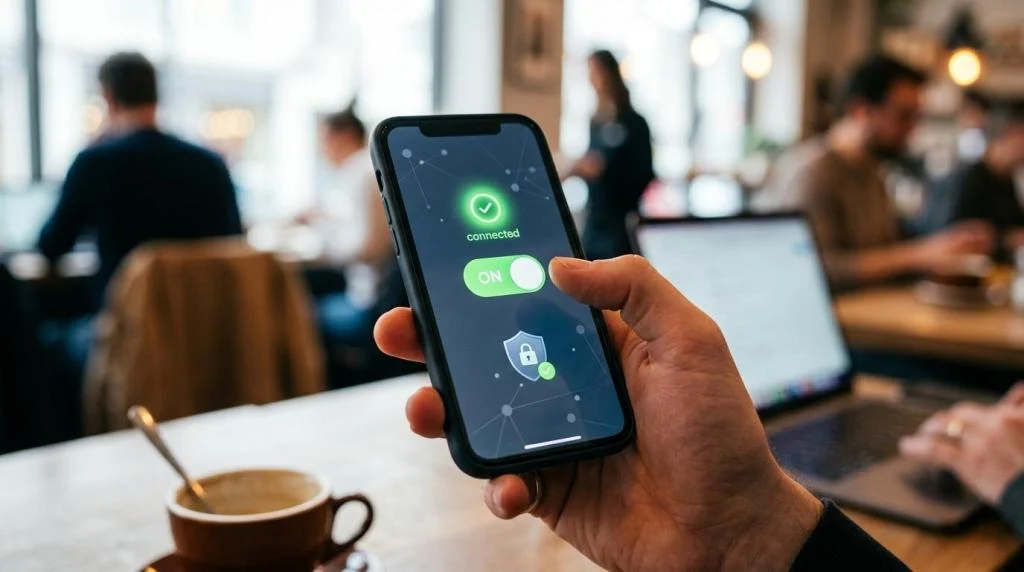
Choose SaviourVPN when you want one service that can help protect your connection on public Wi-Fi, support streaming and P2P use cases, and cover the mix of phones, laptops, tablets, and home devices you already use.
SaviourVPN for streamers, travelers, gamers, remote workers, and households
SaviourVPN is designed for consumers and households that want everyday privacy and fewer restrictions online, not complex business network administration. If you stream, travel, game, work remotely, or connect on public Wi-Fi, our service is built around those routine situations.
“SaviourVPN gives you access to 3000+ servers in 30+ countries, so you can choose a nearby server for speed or switch regions when your travel or content needs change.”
That matters because the best VPN is the one you will actually keep using. SaviourVPN combines simple apps, one account for up to 10 devices, and dedicated server options for streaming and P2P traffic, so protecting your connection does not have to become another technical project.
What SaviourVPN improves in daily use: privacy, access, and device coverage
SaviourVPN improves three parts of your internet experience at once: it helps protect your data, gives you more flexibility over your virtual location, and makes it easier to cover multiple personal devices under one subscription. Core protections such as a kill switch and DNS leak protection are included as part of the service.
“One SaviourVPN account supports up to 10 devices, which makes it practical for a real household setup instead of protecting only one or two screens.”
SaviourVPN also separates specialized use cases instead of treating every server the same. Dedicated streaming servers are intended for media use, and P2P-optimized servers are available when file sharing is part of how you use a VPN.
Here is what that means for you in practice:
- AES-256 and 4096-bit key encryption: SaviourVPN uses strong encryption to help protect sensitive traffic when you connect at home, at work, or on public networks.
- 3000+ global servers in 30+ countries: More server choice gives you better odds of finding a nearby option for day-to-day speed or a different region when location matters.
- Kill switch: If the VPN connection drops unexpectedly, this feature helps prevent your normal connection from exposing traffic by accident.
- DNS leak protection: SaviourVPN helps keep DNS requests from revealing information that could point back to your real location or browsing activity.
- Dedicated streaming servers: These servers are positioned for users who want faster, more consistent performance for streaming use.
- P2P-optimized servers: SaviourVPN supports torrenting on servers intended for P2P traffic, which is more useful than leaving customers to guess what is allowed.
- Up to 10 simultaneous devices: One account can cover a phone, laptop, tablet, and additional household devices without needing separate plans.
- Advanced threat protection: SaviourVPN also promotes protection against malicious attacks, adding another layer beyond encryption alone.
For many buyers, that mix is the real reason to choose SaviourVPN. You are not paying for a single headline feature. You are paying for smoother streaming, more private browsing, and less account juggling across your devices.
SaviourVPN pricing, package options, and refund terms you can compare clearly
Price only helps if the terms are clear. SaviourVPN keeps the package lineup straightforward, with longer plans aimed at users who already know they want ongoing VPN coverage for travel, streaming, remote work, or household privacy.
| Plan | Advertised price | Refund window |
|---|---|---|
| Monthly | $5.95/month | 7 days |
| Annual | $39.95/year | 31 days |
| 2-Year | $59.95/2 years | 31 days |
SaviourVPN gives the strongest refund window on the annual and 2-year plans, with a 31-day money-back period on eligible direct purchases. If you want the lowest upfront commitment, the monthly plan is available at $5.95 with a 7-day refund period.
“SaviourVPN annual and 2-year plans include a 31-day money-back window on eligible direct purchases, while the monthly plan carries a 7-day refund period.”
If you purchase through the Apple App Store or Google Play, refunds are handled through that platform rather than SaviourVPN’s direct refund process. When available, SaviourVPN’s $1 trial offer can also give you a low-cost way to test the apps, speeds, and server experience before settling on a longer plan.
Setting up SaviourVPN on Windows, Mac, iPhone, Android, Linux, and more
SaviourVPN is designed to work across the devices people actually use every day. Public product pages show support for Windows, macOS, iOS, Android, Linux, browser extensions, and additional device types on selected pages, which gives you more flexibility than a phone-only VPN setup.
That broad coverage matters because a VPN becomes more useful when it protects more than just your laptop. SaviourVPN lets you connect up to 10 devices on one account, so your travel phone, home computer, tablet, and entertainment setup can stay under the same subscription.
We also make onboarding easier. SaviourVPN highlights one-tap connection in its apps and backs the service with 24/7 customer support, so you are not left alone if you need help with setup, login issues, or choosing the right server for streaming or P2P use.
SaviourVPN no-logs policy and practical privacy protections
Trust matters more than marketing language in a VPN purchase. SaviourVPN states in its terms that it does not collect or log browsing activities, traffic details, data content, DNS queries, or IP addresses linked to users, while collecting account information such as name, email, and payment details as needed to provide the service.
SaviourVPN pairs that no-logs policy with practical protections users can understand: AES-256 encryption, 4096-bit key encryption, DNS leak protection, a kill switch, and advanced threat protection. If your goal is consumer-focused privacy for everyday browsing, streaming, travel, and public Wi-Fi use, that combination is a strong fit.
When SaviourVPN is the right VPN for your needs
SaviourVPN is a smart choice when you want a consumer VPN that balances price, coverage, and simplicity. It is especially relevant if your needs look like this:
- You stream often: SaviourVPN offers dedicated streaming servers instead of leaving media traffic on the same general pool as everything else.
- You travel or use public Wi-Fi regularly: Encryption, DNS leak protection, and a kill switch help reduce accidental exposure on unfamiliar networks.
- You want one account for many devices: SaviourVPN supports up to 10 devices, which is useful for households and users with multiple personal screens.
- You use P2P traffic: P2P-optimized servers make the service more suitable for torrenting than VPNs that stay vague on file sharing.
- You want support available around the clock: SaviourVPN includes 24/7 customer support, which matters when you need help outside standard business hours.
SaviourVPN is built for personal use and households rather than business IT teams. That focus makes the offer easier to understand if your main priorities are privacy, content access, and reliable coverage across your own devices.
SaviourVPN FAQs about devices, streaming, torrenting, privacy, and refunds
How many devices can I use with one SaviourVPN account?
SaviourVPN supports up to 10 devices per account. That gives you room to protect a realistic mix of phones, laptops, tablets, and other personal devices under one subscription.
Can I use SaviourVPN for streaming?
Yes. SaviourVPN offers dedicated ultra-fast streaming servers for users who want a better server option for media use than a standard all-purpose connection.
Does SaviourVPN support torrenting?
Yes. SaviourVPN provides P2P-optimized servers, which means torrenting support is part of the offer rather than an unclear edge case.
What does the SaviourVPN no-logs policy cover?
According to SaviourVPN’s terms, the service states that it does not collect or log browsing activities, traffic details, data content, DNS queries, or IP addresses linked to users. SaviourVPN does collect core account information such as name, email, and payment details to operate the service.
How do SaviourVPN refunds work?
SaviourVPN advertises a 31-day money-back period on annual and 2-year plans and a 7-day refund window on the monthly plan. If you buy through Apple App Store or Google Play, refund requests are handled through those platforms instead of SaviourVPN’s direct refund process.
Is SaviourVPN hard to set up?
SaviourVPN is positioned as an easy-to-use consumer VPN with one-tap connection and apps for major platforms including Windows, macOS, iOS, Android, and Linux. If you need help, SaviourVPN also offers 24/7 customer support.
Compare plans and start protecting your connection today
If you want a VPN that covers the devices you actually use, supports streaming and P2P use cases, and keeps privacy tools like a kill switch and DNS leak protection within reach, SaviourVPN is ready for that job.
Choose the plan that fits how you browse, look for the current trial or money-back option that gives you the level of flexibility you want, and start using SaviourVPN to protect your connection with more control and less hassle.