Most people do not think about their IP address until a website blocks access, a public Wi-Fi network feels risky, or ads start following them from screen to screen. Yet that small string of numbers can reveal a lot, including your rough location, your internet provider, and the network you use to get online.
Hiding your IP address is one of the simplest ways to add distance between your device and the services you use every day. The good news is that it is possible on nearly any device, from a laptop to a phone to a smart TV. The better news is that the right method is usually straightforward once you know what each tool does well.
Why hiding your IP address matters for privacy and access
Your IP address is the public-facing label of your connection. Websites, apps, streaming services, ad networks, and online trackers often use it to identify your network, estimate your location, and apply regional rules.
That does not mean your IP address reveals your name by itself, but it can still be used to build a profile around your activity.
Hiding it can help reduce tracking, make public Wi-Fi safer, limit direct exposure of your home connection, and give you more flexibility when content is restricted by region. For many people, it is less about secrecy and more about control.
Best methods to hide your IP address on any device
There is no single tool that fits every situation. Some methods cover your entire device, while others only protect a browser or one app.
The table below gives a quick view of the most practical choices.
| Method | Best for | Device coverage | Main tradeoff |
|---|---|---|---|
| VPN | Everyday privacy, travel, streaming, public Wi-Fi | Full-device on most platforms | Requires trust in the provider |
| Proxy | One browser or one app | Usually app-specific | Often no full encryption |
| Tor | Strong anonymity for web browsing | Best on desktop and Android | Slower speeds, more site blocks |
| Private relay | Light privacy improvement on supported systems | Limited to certain traffic | Not a full VPN replacement |
| Router VPN | Smart TVs, consoles, IoT devices | Whole home or selected devices | More setup time |
For most households, a VPN is the strongest all-around choice. It replaces your visible IP with the IP of the VPN server and encrypts traffic between your device and that server. That combination makes it practical, fast enough for daily use, and easy to run across major operating systems.
A privacy-focused service like SaviourVPN is built around that model, with apps for common platforms, 3000+ global servers, AES-256 encryption, a strict no-logs policy, and support for up to 10 devices on one account.
How a VPN hides your IP address on Windows and macOS
Windows and macOS are usually the easiest platforms for full-device IP masking. VPN apps tend to be mature, stable, and simple to manage, and desktop systems make it easy to confirm that your IP changed after you connect.
If your goal is broad protection across browsers, apps, file transfers, and background traffic, desktop VPN use is a strong starting point.
A typical setup looks like this:
- Install a trusted VPN app
- Sign in to your account
- Choose a server location
- Connect and wait for confirmation
- Visit an IP checker to verify the new address
That is the basic path, but desktop users should also pay attention to a few settings. Auto-connect on startup can keep you protected without relying on memory. DNS leak protection matters because DNS requests can reveal browsing destinations even when the visible IP has changed. If your VPN app offers a reconnect option after sleep or network changes, turn it on.
Tor is also available on desktop and can hide your IP for browser use, though it is slower and often less convenient. A proxy can work too, but it usually protects only the browser or app where it is configured.
How to hide your IP address on iPhone and Android
Phones move across networks all day. They jump from home Wi-Fi to office Wi-Fi to coffee shop hotspots to cellular data, and each switch creates another moment where privacy can slip if your connection is not handled well.
That is why mobile VPN apps are so useful. Once installed, they can protect your traffic on both Wi-Fi and mobile data with very little effort.
When setting up a VPN on a phone, these checks make a real difference:
- Auto-connect: Turn it on for unknown Wi-Fi or all networks
- Server choice: Pick a nearby location for better speed
- Permission prompts: Approve VPN configuration requests from the OS
- Battery settings: Allow the app to run reliably in the background
- Reconnect behavior: Test what happens when switching between Wi-Fi and cellular
On iPhone, there is also Apple’s Private Relay for Safari-related traffic on supported plans, but it is not a full replacement for a traditional VPN across all apps. On Android, VPN support is very strong, and Tor Browser is also available for people who want extra anonymity while browsing.
Mobile privacy is powerful when it is consistent.
How to hide your IP address on smart TVs, game consoles, and other devices
This is where things get more interesting. Many smart TVs, streaming boxes, consoles, and household gadgets cannot install a full VPN app at all. They may have limited settings, no app store support, or firmware that blocks advanced network tools.
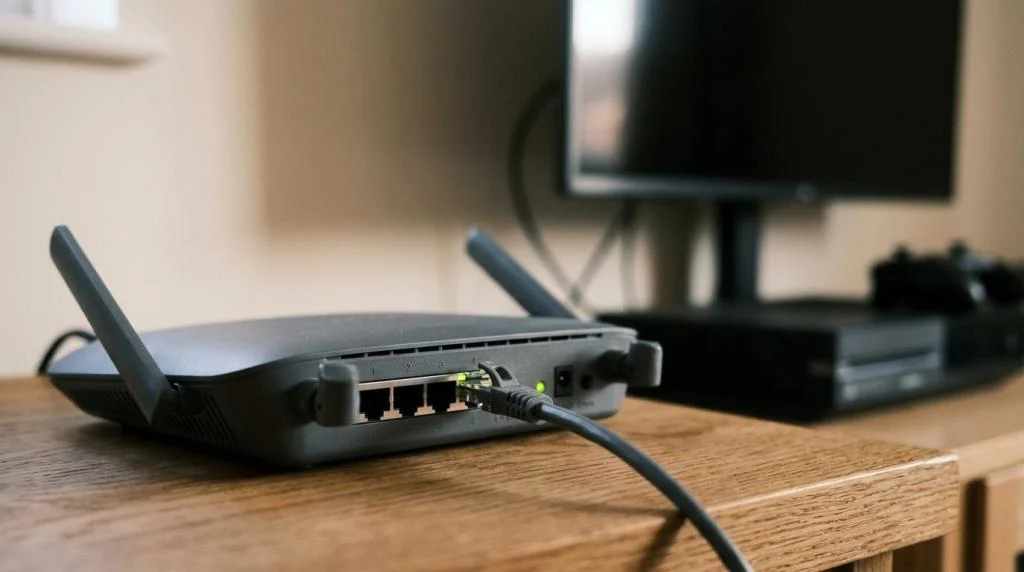
In that case, the best answer is often a router-level VPN. Instead of configuring each device one by one, you connect the router to a VPN server so the devices behind it inherit the protected connection. That can hide the home IP address for streaming devices, consoles, and many IoT products.
There is a tradeoff, of course. Router setup is less beginner-friendly, and if the VPN server is far away, the added latency can affect gaming or reduce video quality.
Another option is connection sharing. A laptop or desktop connected to a VPN can sometimes share that connection with a TV or console on the same network. It is not as clean as router setup, but it can work well when only one extra device needs coverage.
Common IP leak risks when hiding your IP address
Changing your IP is not the same as eliminating every trace of your original network. A weak setup can still leak information through DNS requests, IPv6 traffic, or reconnection gaps when a device loses signal and reconnects on its own.
This is why “connected” should never be the only thing you verify.
After you connect, watch for these risks:
- DNS leaks
- IPv6 leaks
- Browser location permissions
- Split tunneling mistakes
- Wi-Fi to cellular handoff issues
- Background apps bypassing the VPN
A few simple habits go a long way. Check your visible IP with an online IP checker. Run a DNS leak test. Turn off location access for browsers that do not need it. If you use split tunneling, review the app list carefully so sensitive traffic is not excluded by accident.
A kill switch can also help by blocking internet access if the VPN disconnects unexpectedly. If your provider offers one, it is worth enabling.
VPN vs proxy vs Tor for hiding your IP address
The best tool depends on what you care about most: speed, convenience, anonymity, or app-specific control.
A proxy is lightweight and useful when only one program needs a different IP. It can be handy for testing, one browser session, or a single app connection. Still, a proxy often does not encrypt all traffic, which makes it a weaker privacy choice for day-to-day use.
Tor routes traffic through multiple relays and can provide stronger anonymity for web browsing. That strength comes at a cost. Speeds are slower, many sites trigger extra verification, and media-heavy services often work poorly.
For most readers, a VPN remains the best balance.
How to choose the right IP hiding method for streaming, work, travel, and gaming
Your use case should shape your setup.
If you stream often, speed and server selection matter. If you travel, broad device support matters. If you work remotely, stable encryption and consistent reconnection matter. If you game, low latency and nearby servers should lead the decision.
A quick way to frame the choice:
- For streaming: fast VPN servers in the regions you need
- For travel: mobile apps, broad server coverage, easy switching
- For remote work: reliable encryption, desktop and phone support
- For gaming: nearby servers, steady routing, home IP masking
- For smart homes: router-level VPN coverage
This is also where provider quality starts to matter more than marketing. A strong service should have a clear privacy policy, solid app support, reliable speeds, and enough server capacity to avoid congestion during peak hours.
What to check after you hide your IP address
Once your connection is active, take one extra minute to confirm everything is working as expected.
Open an IP checker and confirm that the visible address and location match your selected server rather than your home network. Visit a DNS leak test and make sure requests appear to come from the VPN, not your internet provider. Then test the apps you care about most, including streaming, banking, gaming, or work tools.
That final check turns a good setup into a dependable one.
If you want the easiest path on any device, start with a VPN app on your main laptop or phone, verify the new IP, and then expand to the rest of your devices. From there, router coverage can bring the same privacy benefits to the screens and smart devices that do not support VPN apps on their own.