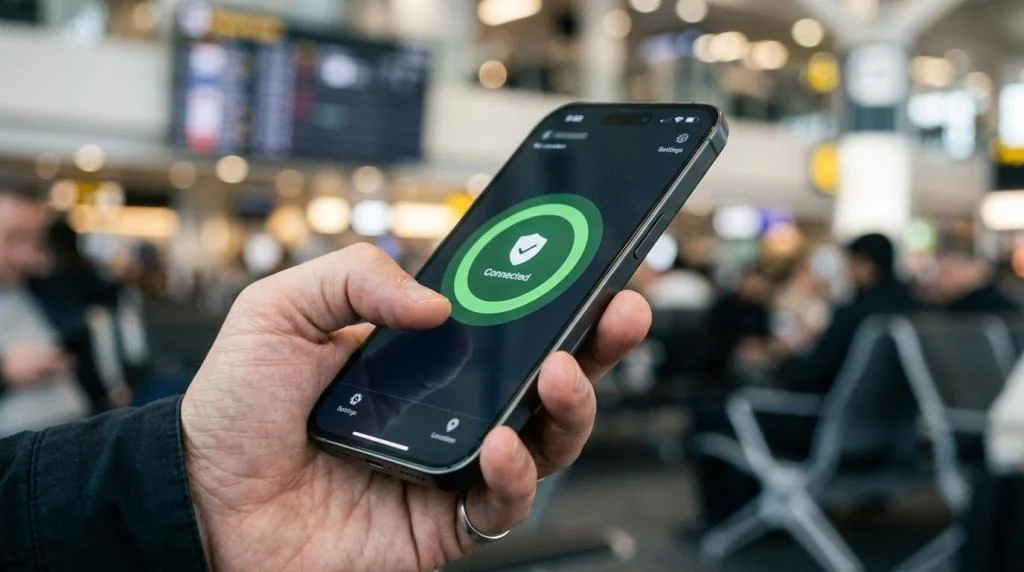
A travel VPN helps turn that uncertainty into something much more manageable. It can protect traffic on unfamiliar networks, reduce exposure to snooping, and help you stay connected to services from home. It can also fall short in places where internet controls are strict, which is why smart preparation matters as much as the software itself.
Why a Travel VPN Matters on International Trips
When people hear “VPN,” they often think about streaming first. That is only part of the picture. A travel VPN is really about keeping your internet connection private and stable while you move between networks you do not control.
U.S. travel guidance now points travelers toward trusted U.S.-based VPN or VoIP applications because communication options vary by destination. That same guidance also warns that Wi-Fi in hotels, cafés, and public spaces may not be secure. For anyone crossing borders, that is a strong signal that online planning belongs on the same checklist as passports and power adapters.
A travel VPN is most useful in the everyday moments that feel routine until something goes wrong.
- Hotel Wi-Fi logins
- Airport layovers
- Public charging and browsing stops
- Remote work from short-term rentals
- Messaging family over unfamiliar networks
Travel VPN Security on Public Wi-Fi Networks
Public Wi-Fi is convenient, and sometimes it is the only realistic option. The problem is not that every hotspot is dangerous. The problem is that you usually cannot tell how well it is managed, who else is connected, or whether the login page in front of you is even genuine.
The FTC has warned that public Wi-Fi networks in places like airports, malls, hotels, and coffee shops can be insecure. It also notes that most websites now use encryption, which makes browsing much safer than it once was. That nuance matters. A VPN is not a replacement for secure websites. It is another protective layer around your traffic, especially when you are logging in, sending messages, or using apps that may connect in the background.
A simple way to think about it is this: HTTPS protects the connection between you and a website, while a VPN protects the route between your device and the VPN server.
| Travel situation | How a travel VPN helps | What it does not fix |
|---|---|---|
| Hotel Wi-Fi | Encrypts traffic between your device and the VPN server | A fake hotel login page or phishing site |
| Airport hotspot | Reduces local snooping on the network | Weak passwords or reused credentials |
| Café browsing | Hides your browsing activity from the Wi-Fi operator | Malware already on the device |
| Shared coworking network | Adds privacy for work apps and file access | Poor account security or missing 2FA |
Even with a VPN, basic security habits still matter.
- Check for https: Look for the lock symbol before entering passwords or payment details.
- Use two-factor authentication: A stolen password is far less useful when a second step is required.
- Update devices: Current browsers, apps, and operating systems close known security gaps.
- Avoid unnecessary logins: If a task can wait for a more trusted connection, wait.
Using a Travel VPN to Reach Home Services Abroad
Security is only half the reason travelers install a VPN before a trip. Access matters too. Services behave differently once you leave your home country, even when your account is fully legitimate.
A common example is financial access. Banks and payment systems may flag foreign logins, unusual IP addresses, or location changes. A VPN can sometimes make the connection look more consistent with your normal account activity, which may reduce friction. That said, security systems still look at many signals, so a VPN is not a guaranteed fix.
Entertainment and communication are another big part of the travel picture. Some platforms show different libraries by region. Some voice or messaging services work poorly on restricted networks. U.S. travel guidance notes that many phone plans do not include international service by default, which can leave travelers without data, calls, or SMS unless they arrange international roaming, a local SIM, or an eSIM. In that setting, a VPN can become part of a wider connectivity plan rather than a standalone tool.
That wider plan usually works best when each piece has a clear job. Your eSIM or local SIM gets you online. Your VPN protects the connection and may help you reach the services you use at home. Your messaging or VoIP app keeps conversations moving when normal calling is expensive or unreliable.
Travel VPN Limits: VPN Blocking and Local Laws
A good travel VPN helps abroad, but it is not magic.
Some countries restrict websites, messaging platforms, or VPN traffic itself. Freedom House reported in 2024 that internet freedom declined for the fourteenth straight year and noted cases of active VPN blocking, including new censorship technology in Myanmar aimed at blocking most VPNs. It also reported that governments in at least 41 countries blocked websites hosting political, social, or religious speech during the period it studied.
That means two things for travelers. First, a VPN may be slower, unstable, or unusable in some destinations. Second, legality matters. The U.S. State Department reminds travelers that local laws apply in the country they visit, even when conduct would be lawful in the United States. In some higher-risk destinations, the stakes can be far more serious than a dropped connection.
The practical takeaway is straightforward: check the rules before you go, install what you need before arrival, and do not assume your usual apps or services will work normally once you land.
If your trip includes a country with strict internet controls, keep expectations realistic. A travel VPN can still be valuable, but reliability may vary day to day, network to network, or city to city.
How to Set Up a Travel VPN Before Departure
Before you fly is the best time to install and test everything.
Too many travelers wait until they are in an airport lounge or on hotel Wi-Fi to download a VPN, remember a password, or verify two-factor authentication. That approach works until the app store is blocked, the login email does not arrive, or your phone number does not receive SMS codes overseas.
A cleaner process looks like this:
- Install the VPN on every device you plan to carry.
- Sign in and test a few server locations before departure.
- Turn on auto-connect for unsecured Wi-Fi if the app supports it.
- Save backup login methods, including authenticator apps and recovery codes.
- Update apps, browsers, and operating systems while you still have a trusted connection.
It also helps to think through your connectivity stack before you leave home. Will you rely on international roaming, a local SIM, or an eSIM? Will your bank require SMS codes that may not arrive abroad? Will your work tools block foreign sign-ins unless you pre-approve them? Those details matter more than the VPN marketing page.
A travel setup is strongest when it is tested under mild stress. Try logging in from your phone while connected to cellular data, then switch to Wi-Fi, then connect the VPN. Open the apps you care about most. If something fails at home, you still have time to fix it.
Travel VPN Features That Matter for Frequent Travelers
Not every VPN is built with travel in mind. A service that feels fine at home may feel frustrating when you are crossing time zones, moving between devices, and relying on hotel internet.
Look first at coverage and consistency. A large server network gives you better odds of finding a fast route near your destination and another route back to your home region when needed. Strong encryption, a strict no-logs policy, and reliable apps across major platforms also matter because travel rarely happens on just one device.
For many travelers, these are the features that separate a usable travel VPN from an afterthought:
- Server coverage: More countries and more servers usually mean better flexibility abroad.
- Privacy standards: AES-256 encryption and a clear no-logs policy set a strong baseline.
- Device support: Phones, laptops, tablets, and streaming devices should work under one account.
- Performance: Fast servers matter when hotel Wi-Fi is already mediocre.
- Specialized access: Streaming-focused or P2P-optimized servers can be useful for specific needs.
- Support availability: 24/7 help is valuable when your issue appears at 2 a.m. local time.
Services built for global use often include exactly these travel-friendly elements. SaviourVPN, for example, offers 3000+ servers in 30+ countries, AES-256 and 4096-bit key encryption, a strict no-logs policy, support for up to 10 devices, dedicated streaming options, P2P support, and 24/7 customer service. Those details matter most when you are relying on one service to protect a phone, a laptop, and a tablet across multiple networks in a single trip.
A travel VPN is at its best when it fades into the background. You connect, your traffic is protected, and your apps keep working with minimal fuss. That kind of quiet reliability is not glamorous, but abroad, it is exactly what most people want.