Most people think about online privacy only when something goes wrong: a suspicious login alert, a payment page that feels exposed, or a hotel Wi-Fi network that asks for no password at all. Yet every day, personal data moves across networks that were never built with your privacy as the first priority.
That is where VPN encryption earns its value. It takes the traffic leaving your device and transforms it into unreadable ciphertext before it crosses the local network, your internet provider, and the wider internet. Anyone watching that traffic in transit can still see that data is moving, but they should not be able to read what it says.
For households, travelers, gamers, streamers, and remote workers, that shift is significant.
What VPN encryption actually does for your data
A VPN does not simply “hide you online.” Its first job is much more specific: it creates an encrypted tunnel between your device and a VPN server. Inside that tunnel, the contents of your traffic are protected from local observers and network intermediaries.
That matters because ordinary internet traffic passes through many hands before it reaches a website or app. Your router, your ISP, public hotspot operators, enterprise networks, and any compromised point along the route can all sit in the path. Without proper protection, those intermediaries may inspect or infer parts of what you are doing.
Encryption changes the equation. Readable data, called plaintext, becomes ciphertext using a cryptographic key. A properly configured VPN client and VPN server share the right keys, so they can encode and decode traffic securely. Everyone else sees scrambled output.
In practical terms, VPN encryption helps reduce exposure to:
- packet sniffing on public Wi-Fi
- passive monitoring by network operators
- some man-in-the-middle interception attempts
- accidental visibility of DNS requests and browsing activity
It is a simple idea with a powerful result: the network can carry your traffic without being able to casually read it.
How encrypted VPN tunnels work between your device and the VPN server
When you connect to a VPN, the first stage is a handshake. Your device and the VPN server authenticate each other and agree on session keys that will be used for the connection. This process is one reason reputable VPNs rely on established protocols instead of improvised security claims.
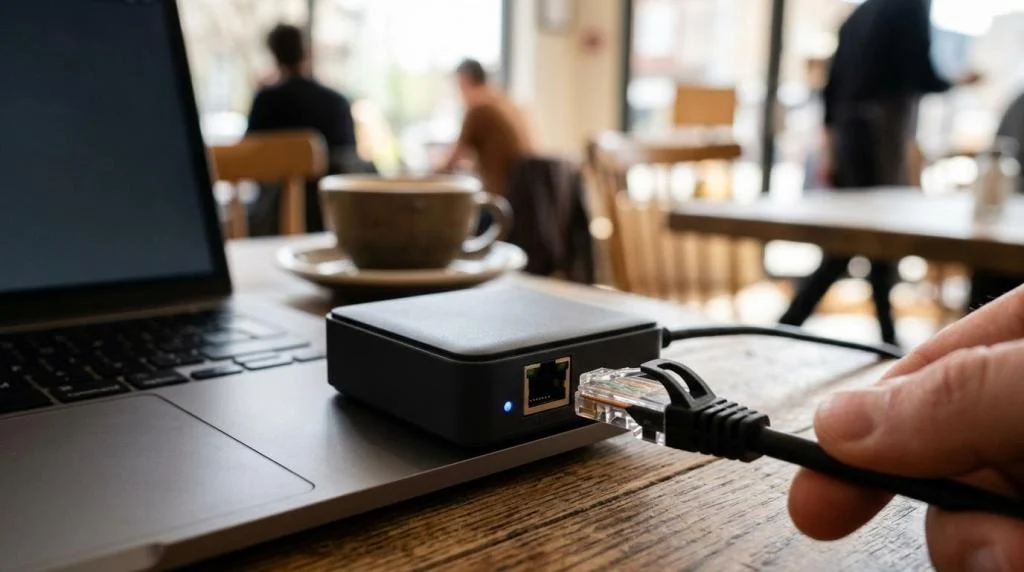
Once the session is set up, your outbound traffic is encrypted before it leaves the device. That means someone on the same coffee shop Wi-Fi can see packets flowing across the network, but not the actual page contents, credentials, messages, or file transfers moving inside the encrypted tunnel.
The VPN server then decrypts the traffic and forwards it to the destination site or service. If the website also uses HTTPS, the traffic remains encrypted again on that next leg. If the destination does not use HTTPS, the VPN still protects the traffic between you and the VPN server, though not necessarily beyond that point.
Return traffic follows the same path in reverse. The VPN server encrypts it for your device, sends it back through the tunnel, and your device decrypts it locally.
One detail is easy to miss: VPN encryption protects data in transit. It is not the same as endpoint security, browser privacy, or account anonymity.
Why AES-256 and secure key exchange matter in VPN encryption
Not all security labels are equally useful, so it helps to focus on the parts that actually describe the cryptography.
AES-256 is one of the most recognized encryption standards used in VPN services. AES, standardized by NIST, is a symmetric cipher. In plain English, that means the same session key is used to encrypt and decrypt bulk traffic once the connection is established. It is fast, battle-tested, and well suited to constant data flow.
Key exchange is different. Before bulk encryption can begin, the VPN client and server need a secure way to agree on shared secrets. Diffie-Hellman, often shown as DH, is commonly used for this purpose. A disclosed 4096-bit DH key exchange points to a conservative security posture for negotiating session keys.
A VPN protocol then wraps these pieces into a workable system. OpenVPN is a familiar example, using TLS-based mechanisms to authenticate peers and set up secure channels. SaviourVPN publicly highlights AES-256 encryption, 4096-bit DH key encryption, and OpenVPN TCP, which places its stated security model in line with established VPN practice.
The table below shows how these pieces fit together.
| VPN security element | What it does | Why it matters |
|---|---|---|
| AES-256 | Encrypts the bulk of your traffic | Keeps the contents unreadable in transit |
| 4096-bit DH | Helps negotiate shared session keys | Protects the key exchange phase |
| OpenVPN TCP | Provides the tunnel protocol | Offers a mature, widely used secure transport |
| Kill switch | Blocks traffic if the VPN disconnects | Prevents accidental exposure outside the tunnel |
| DNS leak protection | Keeps DNS requests inside the VPN path | Stops domain lookups from leaking to the ISP |
That last pair, kill switch and DNS leak protection, is easy to underestimate. Strong encryption is valuable, but privacy weakens quickly if traffic or DNS requests slip outside the tunnel during a disconnect.
What VPN encryption protects well, and where its limits begin
VPN encryption is excellent at reducing passive interception. If you connect through airport Wi-Fi, a hotel network, or an untrusted hotspot, the people operating that network should not be able to read your protected traffic in plain text.
It also reduces how much your ISP can inspect directly. The provider can usually still see that you are connected to a VPN, but it has far less visibility into the contents of your browsing and app activity. If DNS is also protected, one of the most common sources of browsing leakage is reduced as well.
That said, encryption is not magic. It does not erase every form of tracking or every source of risk. If you sign in to a website, that service still knows it is you. If your browser is full of trackers, cookies still work. If your device is infected with malware, encrypted transport does not fix the compromised endpoint.
This distinction is worth keeping clear:
- Protected well: Data intercepted while traveling across local networks and ISPs
- Reduced but not erased: ISP visibility into your traffic contents and DNS activity
- Not solved: Malware, phishing, and compromised devices
- Not hidden: Your identity when you log in to accounts or share personal details
A confident privacy strategy starts with good transport encryption, then adds secure browsing habits, trusted software, and cautious account practices.
VPN encryption and public Wi-Fi security
Public Wi-Fi is where VPN encryption feels most tangible. Open networks are convenient, but they also create ideal conditions for sniffing, spoofing, and rogue hotspot behavior. A user sees free internet access. An attacker sees shared network space and a stream of traffic worth collecting.
With a VPN active, the local network still carries your packets, yet their contents remain encrypted between your device and the VPN server. That changes the risk profile immediately. Someone nearby may know you are connected, but they should not be able to read your messages, inspect your downloads, or capture useful application data from the encrypted stream.
This is especially valuable for:
- travelers in airports and hotels
- students on campus networks
- remote workers using shared spaces
- shoppers entering payment details on the go
The stronger your dependence on networks you do not control, the more valuable encrypted tunneling becomes.
Why protocol transparency matters when choosing a VPN
Strong encryption claims are a good start. Clear technical disclosure is even better.
When a VPN service publishes details like AES-256, 4096-bit DH, OpenVPN support, DNS leak protection, a kill switch, and a no-logs policy, users get a workable picture of the security model. SaviourVPN does disclose those headline protections, which is meaningful. It signals use of standard, recognized cryptographic building blocks rather than vague promises.
Still, there is a difference between broad security claims and full technical transparency. Advanced users often want to know the exact cipher suites, handshake settings, protocol options across platforms, and whether independent audits validate the provider’s public statements.
That is why the strongest VPN evaluations usually look at both layers:
- Core cryptography: AES-256, secure key exchange, reputable protocols
- Operational safeguards: kill switch, DNS leak protection, no-logs approach, support quality
- Transparency signals: technical documentation, audits, clear protocol disclosures
A VPN does not need exotic technology to be trustworthy. In many cases, standard cryptography implemented well is the best answer. What matters is whether the provider pairs that with disciplined engineering and honest disclosure.
How VPN encryption strengthens privacy for everyday use
For many users, the biggest benefit is not abstract cryptography. It is confidence. You can connect on hotel Wi-Fi, work from a café, stream while traveling, or manage household devices across multiple networks with a stronger layer of protection around your traffic.
That confidence grows when encryption is backed by practical features. A service like SaviourVPN combines its stated AES-256 and 4096-bit DH approach with features like DNS leak protection, a kill switch, multi-device support, and a no-logs claim. Together, those features help keep the privacy gains of encryption intact during everyday use.
There is also a convenience angle that matters. When privacy tools are easy to use across phones, laptops, tablets, and home devices, people are more likely to keep them on. Good security that fits real life tends to protect more data than perfect security that no one uses consistently.
Encryption is not a silver bullet. It is the foundation.
And for anyone who values safer browsing, more private streaming, protected remote work, and stronger control over personal data in transit, that foundation is a very good place to start.