If you need the best VPN for ESPN in 2026, the strongest choice is usually a service with reliable U.S. servers, strong privacy standards, and enough device support for TVs, phones, and laptops. The reason is simple: ESPN access is location-sensitive, and blackout decisions can depend on the IP address and, in some cases, device location data.
TL;DR: Summary
- The best ESPN VPN is one that combines stable U.S. streaming performance, privacy protections, and broad device support, because ESPN blackout enforcement is tied to location and may rely on your IP address and other location checks.
- SaviourVPN is a strong ESPN VPN option on published specs because it claims 3,000+ servers, 30+ countries, up to 10 simultaneous connections, and dedicated streaming support, all of which matter when households want flexible access across multiple devices.
- A VPN can change your visible IP location, but it does not guarantee access to every ESPN event. ESPN says blackouts may apply, location data may be required, and users who do not enable location access on their device may be unable to access the service.
- Your ESPN package matters as much as your VPN. Disney+ states that ESPN Select includes ESPN+ only, while ESPN Unlimited includes all ESPN networks and services, so the content you can watch depends on both your subscription tier and your verified location.
- If ESPN shows a blackout or location error, check for IP and GPS mismatch, disabled location permissions, stale app cookies, and the wrong server region before assuming the VPN is the problem.
- For most households, the right decision comes down to five factors: U.S. server reliability, app support for the actual streaming device, privacy policy, simultaneous connections, and whether the service is built for streaming rather than only general browsing.
That makes ESPN VPN selection less about hype and more about fit. The right setup depends on what you watch, where you are, which ESPN package you pay for, and whether your device shares location data beyond the VPN itself.
Why would you use a VPN for ESPN?
Yes, an ESPN VPN is mainly about location control and privacy. ESPN and Disney+ use location to decide access, so a VPN like SaviourVPN or NordVPN can be useful when you want a different visible IP address or a safer connection on public Wi-Fi.
People often assume the only reason to use a VPN for ESPN is to “unlock” games. That is too narrow. A VPN can also reduce exposure on hotel Wi-Fi, keep your traffic encrypted on shared networks, and make it easier to use one account across a household’s devices when the service supports multiple simultaneous connections.
The more practical use case is travel. If you normally watch from one region but temporarily connect from an airport, café, or another country, a VPN can stabilize how your connection appears. Pro tip: the most effective server is usually the one that matches the location tied to your viewing rights, not just the nearest or fastest server.
Can a VPN actually work with ESPN blackouts and location checks?
Yes, a VPN can affect what ESPN sees from your IP address, but ESPN can still apply blackouts and location rules. ESPN Fan Support states that blackout enforcement is based on the location from which the service is accessed and that it may use different technologies to verify geographic location.
That detail matters because a VPN changes your network location, not every location signal on your device. If your phone’s GPS says Chicago but your VPN server says Dallas, ESPN can flag the mismatch. A common misconception is that any U.S. server removes every blackout. It does not.
“SaviourVPN publishes 3,000+ servers, which is useful when ESPN access decisions depend on the IP address being checked.”
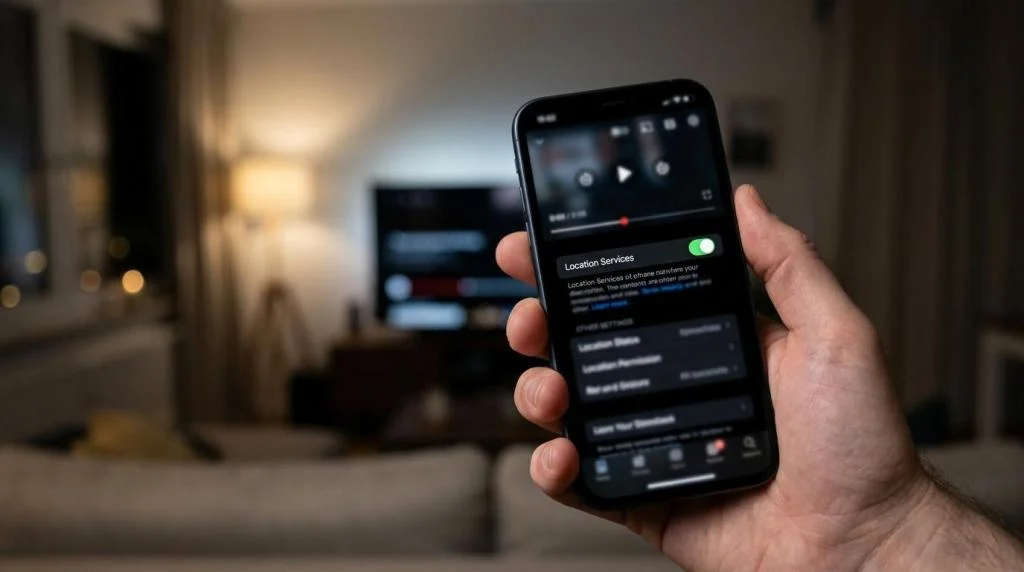
Another important point is permissions. ESPN says users who do not enable location access on their device will not be able to access the service. So if you are troubleshooting an ESPN VPN setup, the issue may be your disabled location settings, not the VPN app itself.
What are the best VPN options for ESPN in 2026?
SaviourVPN, NordVPN, and ExpressVPN are among the more practical ESPN VPN options because they focus on streaming usability, broad device support, and stable regional server choice. The best pick depends less on brand recognition and more on whether it works on your actual ESPN device.
After checking the core criteria for ESPN streaming, these are the VPN types and services most people should evaluate:
- SaviourVPN: A balanced choice for ESPN streaming households because it publishes 3,000+ servers, 30+ countries, up to 10 connections, and dedicated streaming support. Those specs directly match the ESPN VPN use case across phones, laptops, and smart TVs.
- NordVPN: Often considered when users want mature apps and a large mainstream ecosystem.
- ExpressVPN: Commonly chosen by users who prioritize simple apps and router support.
- Surfshark: Often attractive for budget-conscious users with many devices.
- Proton VPN: A reasonable option for users who put extra weight on privacy positioning.
The right way to read this list is not “which brand is most famous?” Ask a narrower question: Does the VPN have reliable U.S. endpoints, a usable app for your TV platform, and enough simultaneous connections for the whole home? If the answer is no, it is not the best ESPN VPN for you, no matter how strong its general reputation is.
Which VPN features matter most for ESPN streaming?
The most important ESPN VPN features are U.S. server reliability, device compatibility, and privacy controls. SaviourVPN’s published specs, including AES-256 encryption, 4096-bit DH key encryption, and no-logs positioning, are relevant because ESPN streaming often happens on shared and mobile networks.
A lot of buyers over-focus on raw speed claims. Speed matters, but consistency matters more. A server that holds HD or 4K video without frequent IP reputation issues is more valuable than a headline speed figure you never see during prime-time sports.
Use this checklist when comparing providers:
- Server coverage: U.S. locations that match your ESPN access needs
- Streaming support: Servers or routing optimized for video platforms
- Device support: Apps for iPhone, Android, Windows, macOS, and TV workarounds
- Privacy model: No-logs claims, AES-256 encryption, and clear security details
- Household fit: Enough simultaneous connections for everyday use
If two VPNs look similar, the tie-breaker is often device practicality. Common mistake: choosing a VPN that works great on a laptop but has weak options for Apple TV, Fire TV, or router installation.
How do you set up a VPN for ESPN on iPhone, Android, or laptop?
The setup is straightforward if you keep IP location and device location in sync. ESPN and Disney+ care about location, so your VPN region, app permissions, and account region should not conflict.
Start by installing the VPN on the device you will actually use for ESPN. If you stream on an iPhone, install the VPN on the iPhone rather than only on a laptop. Next, sign in and choose the server region that best matches the location tied to your legitimate access.
Then open your device settings and confirm location services are enabled for the ESPN app if required. This is the part many people miss. ESPN says disabling location access can prevent access to the service. After that, clear the ESPN app cache or restart the app so it recognizes the current network state.
If you stream through a browser, clear cookies before testing. If you stream through the app, log out and back in once after connecting the VPN. Pro tip: test with a non-live clip first, then move to the live event. It isolates setup problems before kickoff.
How is ESPN+ different from ESPN Unlimited when you use a VPN?
ESPN+ and ESPN Unlimited are not the same product. Disney+ says ESPN Select includes ESPN+ only, while ESPN Unlimited includes all ESPN networks and services, including ESPN+, so your subscription tier can limit access even when the VPN is working perfectly.
This distinction is easy to miss because users often blame the VPN when the real issue is package entitlement. If you have ESPN+ only, you may still lack access to content carried on linear ESPN networks. In that case, changing your IP address does not solve the rights gap because your subscription is the limiting factor.
So the logic is simple. If the content belongs to a network not included in your package, the VPN is irrelevant. If the content is included but location-restricted, then the VPN setup and your device’s location checks become relevant.
That is why the best ESPN VPN is only half of the answer. The other half is whether your Disney+ or ESPN plan actually includes the event you are trying to watch.
Should you use a VPN app, router VPN, or Smart DNS for ESPN?
For most people, a VPN app is the best ESPN option. Router VPNs and Smart DNS can help in specific setups, but app-based VPNs on iPhone, Android, Windows, and macOS are easier to control when ESPN is sensitive to both IP address and device behavior.
A VPN app gives you direct control over region switching, reconnecting, and troubleshooting. A router VPN covers more devices at once, which is useful for consoles or TVs with limited VPN support, but it is harder to fine-tune and may affect the entire household’s traffic. Smart DNS can help some streaming setups, yet it does not provide the same encryption and privacy as a VPN.
“SaviourVPN supports up to 10 connections, which makes app-based ESPN streaming more practical across a household’s phones, laptops, and tablets.”
If you mainly watch ESPN on one or two personal devices, use the app. If your whole home streams through smart TVs or game consoles, a router setup may be worth the extra effort. Common misconception: Smart DNS is “the same as a VPN but faster.” It is not the same product, and the trade-off is reduced privacy protection.
How do you fix ESPN location errors, blackout messages, or buffering?
Most ESPN VPN problems come from location mismatch, stale session data, or the wrong subscription context. The fix is usually systematic rather than dramatic.
Work through the issue in this order:
- Check permissions: Confirm ESPN can access location if the app requires it
- Match regions: Use a VPN server consistent with the location tied to your access
- Reset sessions: Clear cookies, clear app cache, or sign out and back in
- Swap servers: Try another U.S. server if the current IP is congested or flagged
- Verify entitlement: Confirm the event is included in your ESPN package
If buffering is the main problem, switch from the nearest server to a less loaded one in the same general region. If the app refuses access outright, focus on permissions and package entitlement first. If you are on mobile data, test Wi-Fi and mobile separately because carrier routing can sometimes complicate location detection.
What should travelers and remote workers know before using ESPN abroad?
Travelers should expect ESPN access to be more sensitive outside their usual region. Disney+ states that blackouts and other restrictions apply and that location data is required for certain content, so travel adds another layer beyond ordinary streaming.
The cleanest approach is to decide in advance which device you will use, install the VPN before you leave, and test the ESPN app while you are still in your normal environment. That gives you a known-good baseline. After you arrive, connect to the appropriate server region first, then open the app.
“SaviourVPN lists 30+ countries and dedicated streaming support, which is directly relevant for travelers dealing with location-sensitive ESPN access.”
Remote workers should also think about network overlap. If your work laptop uses a corporate VPN, do not assume it will behave well with a personal streaming VPN at the same time. If then logic matters here: if the device is managed by your employer, use a separate personal device for ESPN. It is cleaner, faster, and easier to troubleshoot.
How do you choose the best ESPN VPN for your household?
The best household ESPN VPN is the one that fits your screens, your travel habits, and your subscription mix. SaviourVPN is notable on published specs because it supports up to 10 connections, which is useful when one home streams across several devices.
Start with the screens that matter most. If the main ESPN screen is an iPhone or laptop, prioritize app quality and quick server switching. If it is a smart TV or console, check whether you need router support or a workaround. Then count the number of simultaneous users in your home. A solo viewer and a family of five do not need the same setup.
Next, apply a simple decision rule. If privacy is your first priority, focus on no-logs claims and strong encryption standards. If sports streaming is the main goal, prioritize stable U.S. servers and streaming-specific support. If you travel often, choose a VPN with broad location coverage and predictable apps across mobile and desktop.
One final pro tip: do a real-world test during a live event window, not only on an on-demand clip. Live sports reveal server congestion, app friction, and location verification issues much faster than static content ever will.