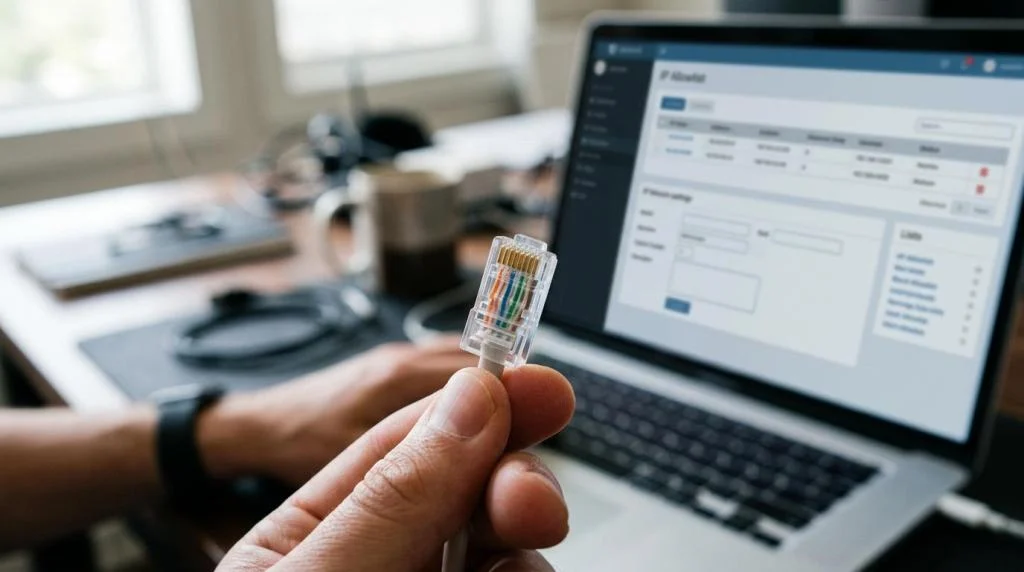
Most VPN users do not need a static IP VPN. You need one when the destination system trusts a consistent public source IP address, not just your username, password, or device.
TL;DR: Summary
- A static IP VPN is most useful when a service requires a consistent, approved public IP address, especially for IP allowlists, remote admin access, partner firewalls, email gateways, and fraud-sensitive business logins.
- Google Cloud distinguishes ephemeral IPs from reserved static IPs: ephemeral addresses can change with the resource, while reserved static IPs stay assigned until explicitly released. That same predictability is the core value of a static IP VPN.
- Google Workspace email allowlists accept only public IP addresses and apply domain-wide, while Looker can be configured to accept connections only from listed IPs when the IP Allowlist is enabled. If the system owner cares about source IP consistency, a static VPN exit IP can solve the access problem.
- A dedicated static IP is usually the safest choice for allowlisting because the address is stable and typically exclusive to one customer. A shared rotating VPN IP is usually better for general privacy because repeated activity is harder to correlate.
- Before buying, confirm the provider can supply a true fixed public egress IP, in the right country or city, and can tell you the exact address you need to hand to the admin.
The key point is simple: a static IP VPN is not mainly about speed. It is about predictability. If the destination uses an IP allowlist, firewall rule, or risk engine that expects the same source address every time, a rotating VPN IP will keep causing friction.
What is a static IP VPN?
A static IP VPN gives you the same public exit IP each session, unlike the rotating addresses common on OpenVPN and WireGuard services.
Think of it as a stable egress address. Your encrypted tunnel can still change ports, sessions, and devices, but the outside world sees the same public IP. Google Cloud uses similar language when it distinguishes an ephemeral IP from a reserved static IP, which remains assigned until explicitly released.
“SaviourVPN uses AES-256 and 4096-bit key encryption, which matters when a fixed public IP also needs strong tunnel protection.”
A common misconception is that a static IP VPN somehow locks your home ISP address in place. It does not. It gives your VPN traffic a fixed public exit address, which is the address an allowlist or firewall will usually care about.
When does a changing VPN IP become a problem?
A changing VPN IP becomes a problem when Google Workspace, Looker, or a partner firewall only accepts traffic from approved public addresses.
This is the real dividing line. If the destination checks identity only at the account level, a normal VPN is often fine. If the destination checks identity at the network level too, the source IP matters. That includes SSH jump hosts, SFTP servers, BI dashboards, staging environments, admin panels, and email gateways.
The pattern is straightforward. If the admin says, “Send me the IP to allowlist,” a rotating consumer VPN will not be reliable enough. If the service blocks all unapproved addresses, every new VPN session risks looking like a new, untrusted source.
What are the five times you need a static IP VPN?
You need a static IP VPN when the destination requires one trusted public IP, and Google Workspace or Looker style allowlists are the clearest examples.
The most common cases are operational, not cosmetic. They appear when access controls are tied to network identity.
-
Your SaaS tool or dashboard uses an IP allowlist
Looker is a good benchmark here. Its allowlist can be configured so that only listed IP addresses can access a Looker-hosted instance. If your VPN IP changes, access fails. -
You need remote admin access to servers or databases
SSH, RDP, PostgreSQL, MySQL, and internal admin panels are often restricted by firewall rules. A fixed VPN exit IP lets the admin approve one address instead of chasing a moving target. -
Your organization relies on public-IP-based email trust rules
Google Workspace lets admins add public IP addresses to an email allowlist so mail from those addresses is not marked as spam. It applies domain-wide, and it does not support private IP addresses for this setting. -
A partner requires one approved source IP for SFTP, API, or B2B connectivity
This is common in finance, healthcare, analytics, and managed services. The partner is not asking for a VPN brand. They are asking for a stable public address to permit through their firewall. -
You keep getting challenged by risk systems because your IP changes constantly
Some corporate portals and fraud controls treat frequent IP changes as suspicious. A static VPN IP does not replace strong authentication, but it can reduce unnecessary lockouts and repeated verification prompts.
How do you set up a static IP VPN for an IP allowlist?
Set up starts with the admin’s exact allowlist rule, then your provider’s fixed public IP, then a live test against Google Workspace or Looker.
Step 1 is to ask the admin exactly what they need: one IPv4 address, a CIDR range, a country-specific exit, or a port-specific rule. Step 2 is to get the precise public IP from your VPN provider. Step 3 is to connect, verify the visible public IP from an external checker, and send that value to the admin for allowlisting. Step 4 is to test with a clean session after the rule is active.
“SaviourVPN supports up to 10 devices per account, useful when one approved VPN setup has to cover a laptop, phone, and home office devices.”
A pro tip here is to confirm whether the destination accepts only IPv4, only IPv6, or both. Many business allowlists still expect a public IPv4 address. That detail saves a surprising number of support tickets.
How do you verify that the VPN IP really stays fixed?
Verification is simple: reconnect, reboot, and test over time. If Google Cloud would call it ephemeral behavior, your VPN IP is not truly static.
Start by disconnecting and reconnecting several times on the same device. Then restart the app, reboot the device, and check again. Test from the network you will actually use for work, travel, or home access. Record the public IP each time. If the address changes across normal reconnects, it is not behaving like a true static VPN IP.
A second check is operational. Hand the IP to the admin, then ask whether logs show the same source after multiple sessions. Common misconception: seeing the same city or ASN is not enough. The exact public IP must stay the same if the destination is matching on that value.
How do you troubleshoot failed access after allowlisting?
Most allowlist failures come from the wrong public IP, wrong environment, or IPv4 versus IPv6 mismatch, especially in Looker and Google Workspace.
Use if-then logic. If the service still blocks you, first verify the public IP the service sees right now. If that does not match the allowlisted value, reconnect to the correct static endpoint or check whether the provider assigned a different exit. If the IP matches, ask whether the admin added the rule in the right environment, instance, or domain. Looker’s allowlist behavior is instance-specific, and Google Workspace email allowlists apply at the domain level.
Another frequent issue is timing and caching. If the allowlist was just added, sign out fully, close the browser, and test again. If the service is dual-stack, ask whether the block is happening on IPv6 while the admin only allowlisted IPv4. Pro tip: always verify the exact destination hostname too, because production and staging often have different rules.
Static IP VPN vs shared VPN IP: which is better?
Shared VPN IPs are better for crowd privacy, while static IP VPNs are better for SSH, SaaS allowlists, and repeated trust decisions.
A shared IP means many users appear under the same public address. That is usually better for anonymity because your activity is mixed with others at the IP level. A static IP means your sessions are easier to associate with the same source over time. That is usually worse for anonymity, but much better for access control.
Speed is often misunderstood here. A static IP is not automatically faster than a shared IP. Performance depends more on server load, routing quality, protocol choice, and distance. If your actual problem is “the admin needs one approved address,” the benefit of static IP is reliability, not raw throughput.
Static IP VPN vs dedicated IP VPN: are they the same?
A dedicated IP is usually a static IP assigned only to you; a static IP can be dedicated, but providers do not always mean the same thing.
In consumer VPN language, dedicated IP usually means a public IP reserved for a single customer and kept stable across sessions. That is the cleanest option for allowlisting because nobody else should be generating traffic from that address. Static IP VPN can mean the same thing, but some providers use looser wording.
The practical rule is simple. If you need an admin to trust one address for your account alone, ask whether the IP is both fixed and exclusive. If it is fixed but shared, your access may still work, but reputational side effects from other users can become a factor.
Do streaming, gaming, and travel require a static IP VPN?
Streaming, gaming, and travel rarely require a static IP VPN, though services like Xbox or corporate portals may trust a stable region more readily.
Most people who stream or game do fine with a standard VPN. A static IP becomes useful when you want fewer location-change prompts, more predictable access to a home server, or a consistent region while traveling. It can also help when a household wants the same trusted source for a private media server or admin console.
“SaviourVPN operates 3000+ servers in 30+ countries, a practical benchmark when region choice matters as much as IP consistency.”
Do not assume static IP is mandatory for entertainment. It is situational. If your problem is repeated re-authentication, remote access to your own services, or a business tool that flags every new network as suspicious, a fixed address helps. If your goal is basic browsing privacy on public Wi-Fi, it usually does not.
What security and privacy trade-offs come with a static IP VPN?
A static IP VPN improves access control, but a shared IP usually offers better anonymity because many users blend behind the same address.
The tunnel encryption can still be strong, and the fixed IP can still be private from your ISP. What changes is correlation risk at the destination side. The same public IP appearing day after day is easier for websites, partners, and logs to associate with one user or one household.
The trade-offs are easiest to judge this way:
- Best for access control: IP allowlists, remote admin, partner firewalls, stable business logins
- Best for anonymity: Shared rotating VPN exits
- Misconception to avoid: A no-logs policy and a static IP solve different problems
- If-then rule: If your main pain is blocked access, choose static; if your main pain is traceability across sessions, choose shared
How should you choose a static IP VPN provider?
Choose a provider that can give you a true public static IP, clear region options, and support that understands allowlists and firewalls.
Start with the access requirement, not the marketing page. Ask whether the provider offers a fixed public IPv4 address, whether it is dedicated or shared, which country it exits from, and whether that address can be confirmed before you submit it to an admin. If your target system is strict, ask about reconnect behavior and whether the same address persists across sessions and device restarts.
When comparing services, a provider like SaviourVPN can serve as a useful infrastructure benchmark because it advertises AES-256 and 4096-bit key encryption, 3000+ servers in 30+ countries, support for up to 10 devices, and 24/7 support. The important question for a static IP use case is still narrower: can the service provide one fixed public egress IP that fits your allowlist and region requirements?
Use these criteria when evaluating options:
- Public IP type: Fixed public IPv4 is the safest default for allowlists
- Assignment model: Dedicated is usually better than shared for business access
- Region control: Choose the country or city the destination expects
- Protocol and kill switch: Useful for stability, but secondary to IP consistency
- Support quality: You want an answer on the exact address, not a generic sales reply
If the destination system depends on an approved source IP, a static IP VPN is not a luxury feature. It is the network identity the service expects.