
Most households do not need a perfect privacy strategy. They need a realistic one.
That starts with a simple idea: internet privacy at home is not solved by one app, one setting, or one smart purchase. It comes from layers. Encrypted connections matter. Strong account security matters. Router settings matter. Limits on tracking matter. A VPN can help in the right places, but it is one part of a broader plan.
That broader view is important because privacy and cybersecurity overlap without being identical. The National Institute of Standards and Technology frames privacy risk as something that can arise across the full data lifecycle, from collection to use to sharing to disposal. The Federal Trade Commission makes a similar point in consumer guidance: even when there is no obvious breach, websites and apps may still collect, profile, and share far more data than families expect.
What internet privacy means for US households
For a U.S. household, privacy is about controlling who can see, collect, infer, or profit from your online activity. That includes the obvious risks, like stolen passwords and compromised accounts. It also includes quieter risks, like ad tracking, location history, smart TV data collection, and app permissions that extend well beyond what a service actually needs.
This is one reason so many people feel uneasy online. Pew Research Center found that 56% of U.S. adults frequently accept privacy policies without reading them. In the same research, 69% said they feel overwhelmed by the number of passwords they need to track, and 34% reported at least one fraud or account-takeover incident in the prior year.
Those numbers suggest a household problem, not just an individual one.
Privacy risk is broader than data breaches
Many people still think privacy begins and ends with “don’t get hacked.” That is useful, but incomplete. A family can avoid malware and still be heavily tracked across devices, apps, streaming platforms, shopping sites, and connected home products.
NIST’s privacy framework makes this distinction clear. Cybersecurity risk management supports privacy risk management, but it is not enough by itself. Privacy harm can come from lawful data processing too, including profiling, cross-site tracking, misuse of location data, or combining separate bits of data into a surprisingly detailed picture of a household.
That is why a practical privacy plan looks at both security and exposure.
Common internet privacy risks inside the home
A lot of privacy advice sounds abstract until it is attached to familiar moments: checking email at a coffee shop, installing a coupon app, setting up a new smart TV, or reusing the same password because it is faster. The table below turns those moments into concrete household risks.
| Household activity | Privacy issue | Better habit |
|---|---|---|
| Using public Wi-Fi | Traffic can be exposed if a site or app is not encrypted | Check for HTTPS, keep devices updated, use trusted security tools |
| Reusing passwords | One breach can unlock multiple accounts | Use unique passwords and a password manager |
| Ignoring router defaults | Weak admin settings can expose the whole home network | Change default admin username, password, and network name |
| Installing many apps | Apps may collect location, contacts, identifiers, and usage data | Review permissions and remove apps you do not use |
| Streaming on smart TVs | Viewing behavior may be tracked for advertising | Review privacy settings on TVs and streaming devices |
| Browsing without privacy controls | Third parties may track activity across sites | Tighten browser privacy settings and reduce ad tracking |
The good news is that most of these risks have straightforward fixes. They do not require a technical household. They require a household routine.
Password security and account protection basics
If a family wants the fastest privacy win, account security is the place to start. Strong passwords and two-factor authentication cut off a large share of common attacks, including password stuffing and account takeovers. The FTC specifically recommends strong passwords, two-factor authentication, and keeping software up to date.
The challenge is not awareness. It is fatigue. People know they should not reuse passwords. They also know they should not click through every prompt without looking. Yet real life gets busy, and convenience starts winning.
A manageable account security routine often looks like this:
- Unique passwords for email, banking, shopping, and streaming
- A password manager
- Two-factor authentication: turn it on for email, financial accounts, and any account that stores payment details
- Email security first: your email account is the reset key for many other services
- Breach response: if one account is exposed, change that password and any reused version immediately
Email deserves special attention because it is the gateway to so much else. If an attacker controls an inbox, they may reset passwords for retail accounts, cloud storage, social media, and subscription services in minutes.
Public Wi-Fi privacy and encrypted connections
Public Wi-Fi gets more fear than it deserves, but it still deserves caution. The FTC notes that most websites now use encryption, which means connecting through public Wi-Fi is usually safe when the site connection itself is encrypted. In practical terms, households should look for the lock icon and “https” in the browser address bar.
That does not mean every app, login flow, or hotspot is equally trustworthy. A fake network name can still trick users. An old phone with outdated software is still a soft target. Weak account security still creates risk even when the network is decent.
A few habits make a big difference:
- Check encryption: look for HTTPS and the lock symbol before entering passwords or payment information
- Update devices: current operating systems and browsers close known security gaps
- Avoid unnecessary logins: save sensitive account changes for a trusted home or cellular connection
- Turn off auto-join for unfamiliar networks
A VPN can add another layer on public Wi-Fi by encrypting traffic between the device and the VPN server. That is useful, especially when people travel, work remotely, or connect from airports, hotels, cafes, and shared spaces. It helps most when paired with the basics above, not in place of them.
Router security and smart device privacy settings
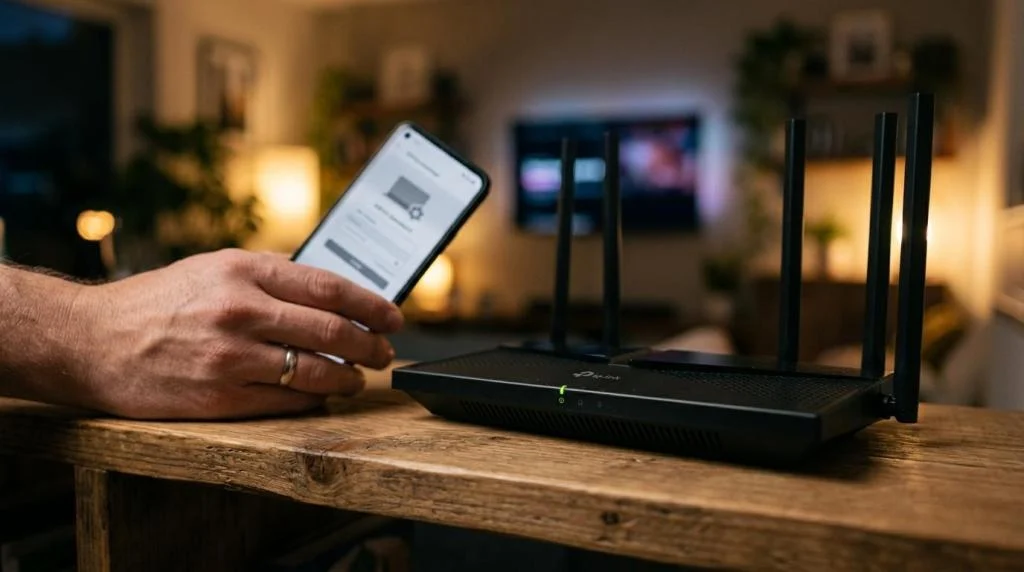
The router is one of the most overlooked privacy tools in the house. FTC guidance on internet-connected devices points to the router as a key control point for home privacy. If the router is weak, the rest of the home setup starts from a bad position.
Many families still use default router settings long after installation. That is a mistake worth fixing. Default admin usernames, default passwords, and generic network names make a home network easier to identify and potentially easier to target. Changing those settings is one of the highest-value steps a household can take.
Smart devices add another layer of concern. TVs, speakers, cameras, doorbells, baby monitors, and streaming sticks often collect device identifiers, usage patterns, and interaction data. Some of that data supports features people want. Some of it supports advertising, profiling, or analytics that people would rather limit.
A short home network reset can include these actions:
- Router admin access: change the default username and password
- Wi-Fi network name: avoid names that identify your family or address
- Firmware updates: install them on routers, TVs, cameras, and streaming devices
- Device review: remove old devices you no longer use from the network
- Tracking settings: check smart TV and streaming-device privacy options
One smart habit is to revisit these settings when buying new devices, not months later. Setup day is usually the moment when the fewest devices are forgotten and the most attention is available.
Website tracking, app permissions, and data collection
Not all privacy loss comes from criminals. A great deal of it comes from ordinary commercial tracking. The FTC has explained that websites and apps may use cookies, pixels, device fingerprinting, and mobile advertising identifiers to follow users and measure behavior. Third-party tracking companies may observe activity across many of the sites a person visits.
This matters at the household level because it turns separate activities into a profile. One family member searches for moving trucks. Another shops for school laptops. A child streams certain shows. A parent opens health-related pages late at night. Over time, those fragments can shape targeted ads, prices, recommendations, and inferences that feel far more personal than many users intended.
Browser privacy settings give consumers at least some control, even if they do not solve everything. Reviewing app permissions matters just as much. A flashlight app should not need constant location access. A shopping app should not always need contact data. A smart TV does not need every ad-related setting enabled by default.
Small changes help here:
- Clear unused apps from phones and tablets
- Limit location access to “while using” when possible
- Reset advertising identifiers on mobile devices
- Review browser privacy controls and cookie settings
- Log out of services you rarely use
Privacy at home improves when data collection becomes intentional instead of automatic.
Where a VPN fits in a household privacy plan
A VPN is best seen as a privacy layer, not a magic shield. It can encrypt traffic between your device and the VPN service, reduce exposure on untrusted networks, and mask your IP address from the websites and services you visit. It can also help households that want more private streaming access while traveling or more consistent protection across multiple devices.
What it does not do is fix weak passwords, stop every form of tracking, or make unsafe clicking harmless. If a family reuses the same password everywhere, installs intrusive apps, and ignores device updates, a VPN will not cancel out those choices.
That is why the best household setup combines tools and habits. A VPN is valuable, especially for public Wi-Fi, travel, remote work, and everyday browsing privacy. It is strongest when supported by good account hygiene, current software, and sane permissions.
A service such as SaviourVPN is positioned around those layered needs, with features geared to households that want broad device coverage and private connections across daily use. According to the company’s published information, it offers 3,000+ servers in 30+ countries, AES-256 encryption, a strict no-logs policy, support for up to 10 simultaneous devices, and dedicated streaming and P2P options. For families, that kind of multi-device support matters because privacy usually breaks at the edges, on the extra tablet, the travel phone, or the laptop used on hotel Wi-Fi.
A 30-minute internet privacy reset for families
Most households can make visible progress in one short sitting. The goal is not perfection. The goal is to close the biggest gaps first.
- Change the router admin password and review the Wi-Fi network name.
- Turn on two-factor authentication for email and financial accounts.
- Replace reused passwords with unique ones for your most sensitive services.
- Check smart TV, streaming device, and app tracking settings.
- Update phones, laptops, browsers, and the router firmware.
- Install or review a trusted VPN on the devices most often used outside the home.
That kind of reset creates momentum. Once the essentials are in place, privacy stops feeling like a vague, unsolved problem and starts becoming a set of clear household habits that are fully within reach.